

Troop Leader Renewal Steps
1. Log into your MyGS account
- Go to Girl Scouts of Northern California’s website (www.gsnorcal.org), Click the “MyGS” link at the top of the screen.
- Log in using the username and password you created when you set up your Girl Scout member account.
- Once logged in, click “My Account” in the upper right-hand corner.
2. Renew Your Troop Members
- There are two ways to select troop members to renew from your MyGS account.
- Option 1: From the My Account page, scroll down to My Troops and use the “RENEW NOW” button to select all members and renew your entire troop (youth and adults).
- Choose this option if you will be renewing most of your troop. You can edit those you don’t want to renew by removing them from your cart.
- Option 2: Navigate to the My Troop(s) tab on the left and click on your troop number to individually select the members you wish to renew.
- Once members are selected, click Renew (see detailed instructions below).
- Option 1: From the My Account page, scroll down to My Troops and use the “RENEW NOW” button to select all members and renew your entire troop (youth and adults).
3. Review your cart & confirm member details
- One by one, use the green carrot next to each member to confirm, edit membership, or remove a member from your cart.
- Click “Edit” to make updates to the person’s membership, payment type, or school info.
- Click “Remove” to remove members you don’t want to renew just yet from your cart.
- Click “Edit” to make updates to the person’s membership, payment type, or school info.
- Check the box to agree the Girl Scout Promise and Law.
- Click ADD PAYMENT DETAILS to enter your credit card details.
- Submit your payment – you see an order confirmation page, with your order number, who is emailed the receipt and an option to print.
Renewing Troop members from the My Troop(s) page in MyGS
- On the left-hand side of your account in MyGs click the drop down next to My Troop(s) and then click on the troop that you would like to renew.
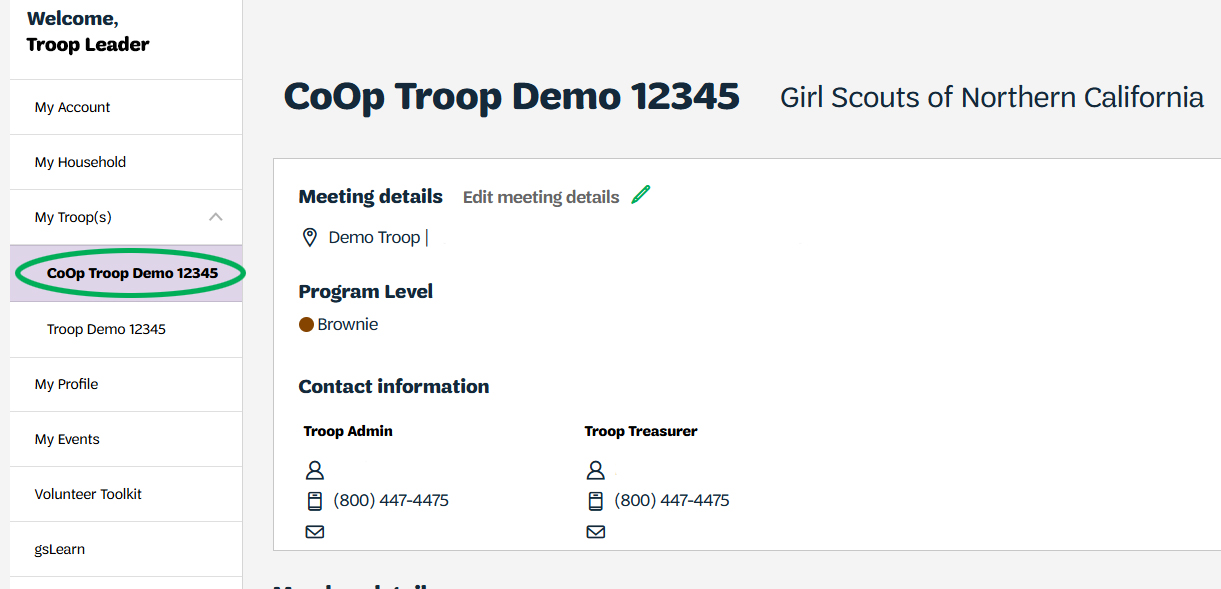
2. The My Troops page will list all of the youth members, then adults, for your troop. You can select all for both youth and adults, or select individual members.
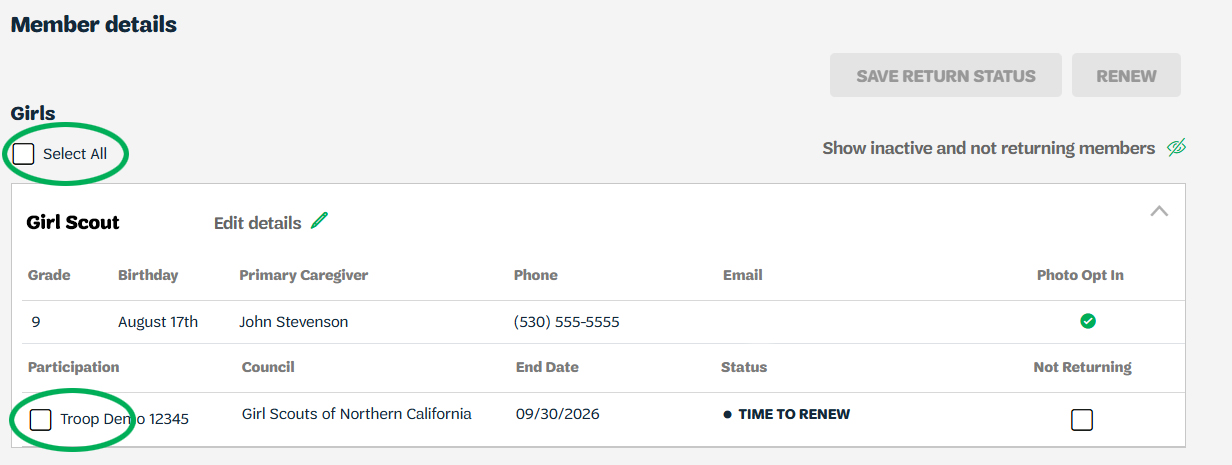
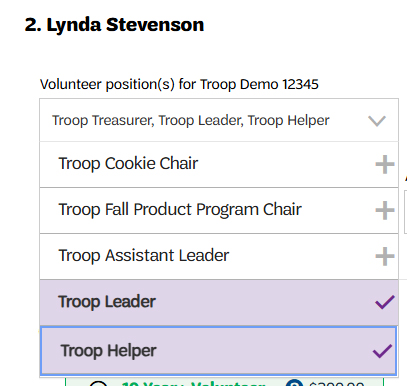
3. When renewing adults, all roles will be automatically selected when you select the membership renewal. Ensure you deselect roles they will not be continuing in.
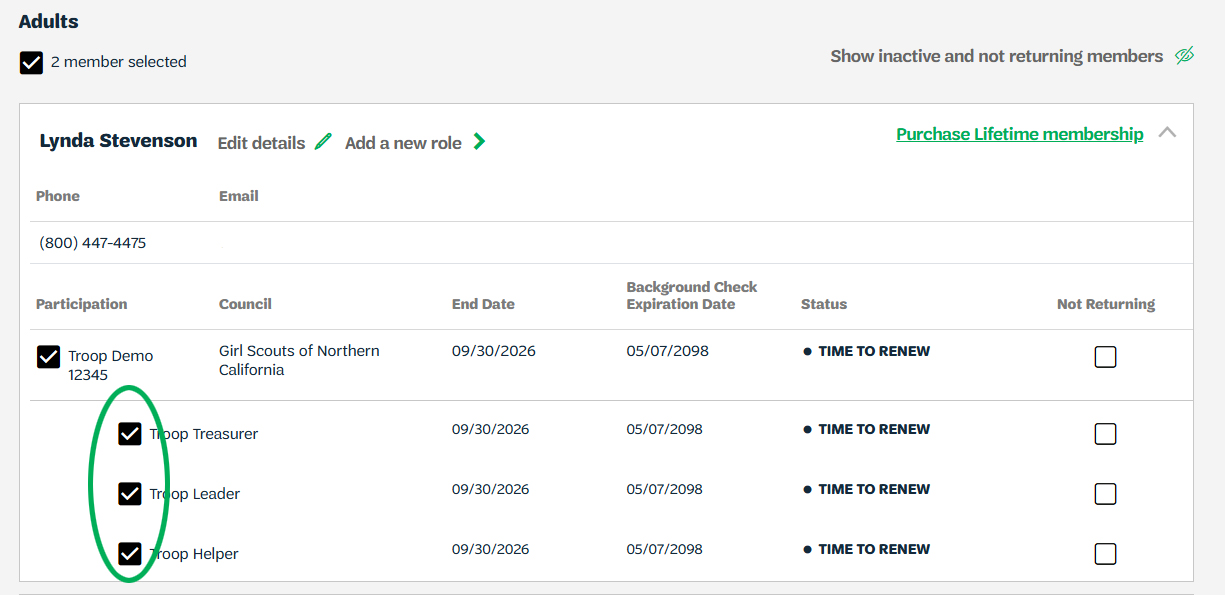
4. Once you have selected the returning members, select the green Renew button.

5. This will take you to the confirm member details page where you can confirm the youth members’ names and schools attending, then choose the membership and payment method (note that troop leaders can only pay for their troop members with a credit card).
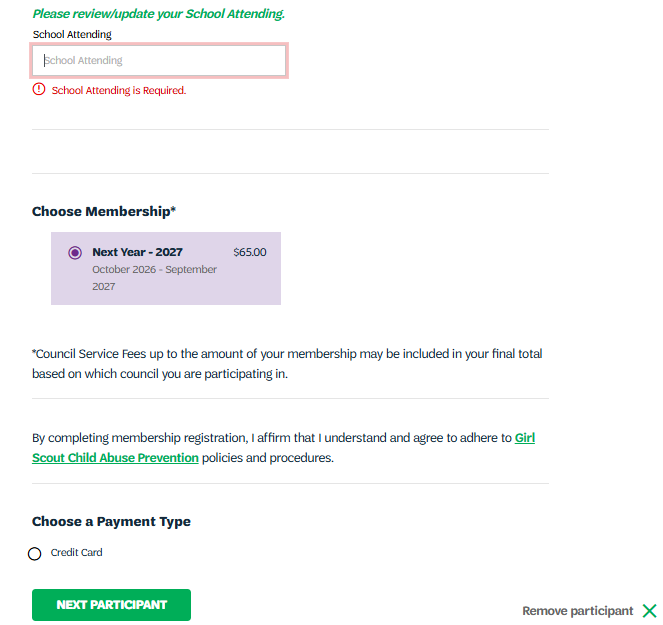
6. Click on Next Participant to go through each member you are renewing. For adults you are renewing you will be able to edit volunteer roles.
7. Once you have completed this process for each member, select the green Review Cart button,
Review Cart
- In the Review cart use the green carrot next to each member to confirm, edit membership, or remove a member from your cart.
- With the edit button you can be able to edit youth and adults names and membership type. For your youth members you can also update the school they attend.
- After reviewing your cart and removing/editing. Check the box that agrees to the promise and law the click add payment details
- Enter the credit card information that you will be using and select submit payment.
- After submitting your payment you see the payment confirmation number, who the receipt is emailed to, and the option to print the receipt.
This document will provide troop leaders with instructions to renew your troop girls and adults. Visit GSNorCal’s renewal webpage http://www.gsnorcal.org/renew for more information on renewal rewards and resources.
- How to update a member’s personal information (i.e., phone, email, school, etc.)
- Detailed registration & renewal instructions with screenshots
- View and Print Membership Cards
- Troop Renewal Selections and Process
- How to invite a friend to join your troop
- Update volunteer role(s): renew, add, or renew a role
Registration/Renewal Steps for Troop Leaders
Last updated on April 1, 2026