

Girl Scout Lifetime Members do not need to renew their membership each year. However, they do need to review any volunteer roles they currently hold and renew those they will continue to hold during the upcoming membership year. Lifetime members are asked to log in to MyGS annually to renew their roles.
Renew Volunteer Roles:
Log into your MyGS account to renew your household.
- You will see “it’s time to renew” yellow banner. On the right-hand side, you will be able to renew your entire household with the “RENEW NOW” button. This will take you to review your cart page.
- To renew your house members individually Click on “MYHOUSEHOLD”
- To renew lifetime member roles, click on the lifetime member the troop number and the role(s) you would like to renew, then click the renew button.
To Add a Volunteer Role with a Troop you’re Already Participating with:
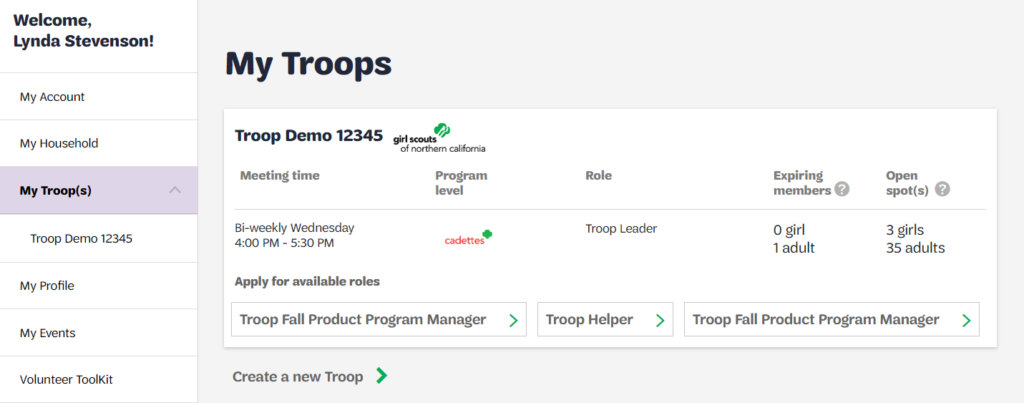
- From your MyGS Account, click My Troops
- Select the adult role you wish to add under “Apply for available roles”. If you have multiple troop associations, ensure that you choose the role under the correct troop. Note: If the desired role is not listed, contact us at info@gsnorcal.org for assistance.
- Follow the prompts to add the volunteer role to your membership account.
To Remove a Volunteer Role:
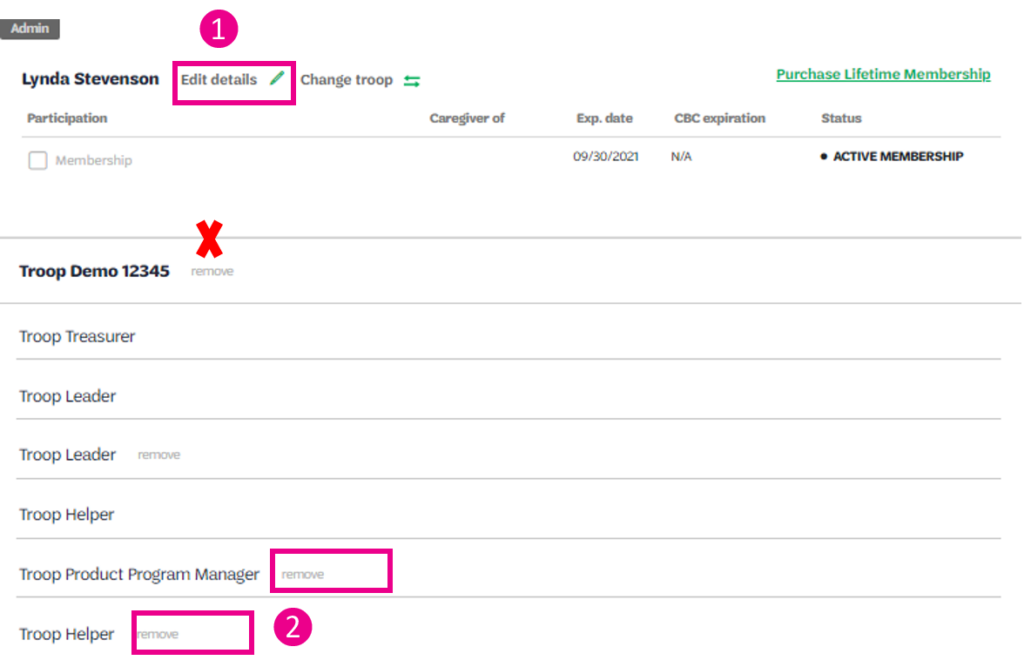
Login to your MyGS account and click on My Household. Go to the adult’s volunteer role you want to remove
- Click Edit Details
- Select Remove next to the volunteer role you wish to remove. Be careful not to remove your Troop affiliation by mistake. Note: You will only be able to remove current roles. Lapsed/non-renewed roles that you have previously held will display as lapsed.
Need some help? Please review these simple step-by-step instructions to help you log into MyGS, or contact us at info@gsnorcal.org or 800-447-4475, ext. 0.
Last updated on March 24, 2026