

How can I contact my troop leader? Where can I find my troop’s meeting details?
Your troop leader will have received an email letting them know you joined the troop and should reach out to welcome you. However, if you have not heard from them, you can locate contact information for your troop leadership team, as well as the meeting details for your troop, within MyGS.
Start by logging into MyGS
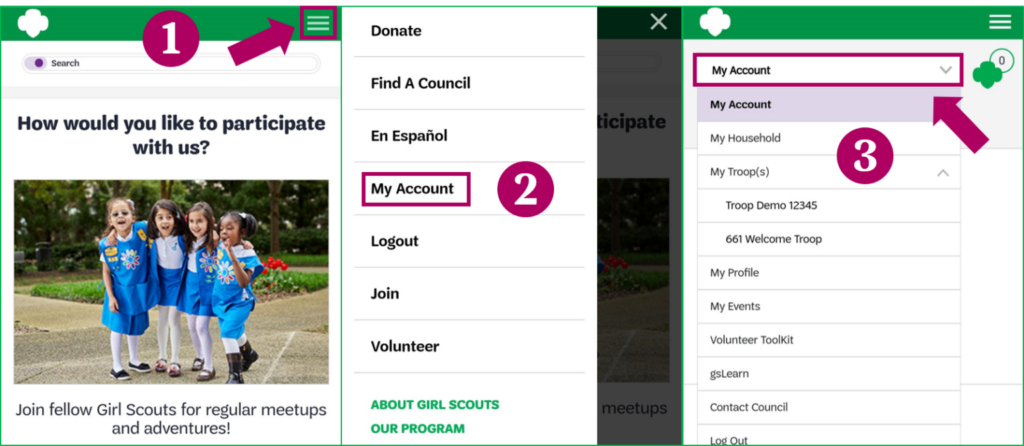
Follow these instructions to log into your MyGS Account. You may need to click on the My Account button once logged in:
Show me how to find My Account on desktop

Show me how to find My Account on mobile
Navigate to your troop’s details
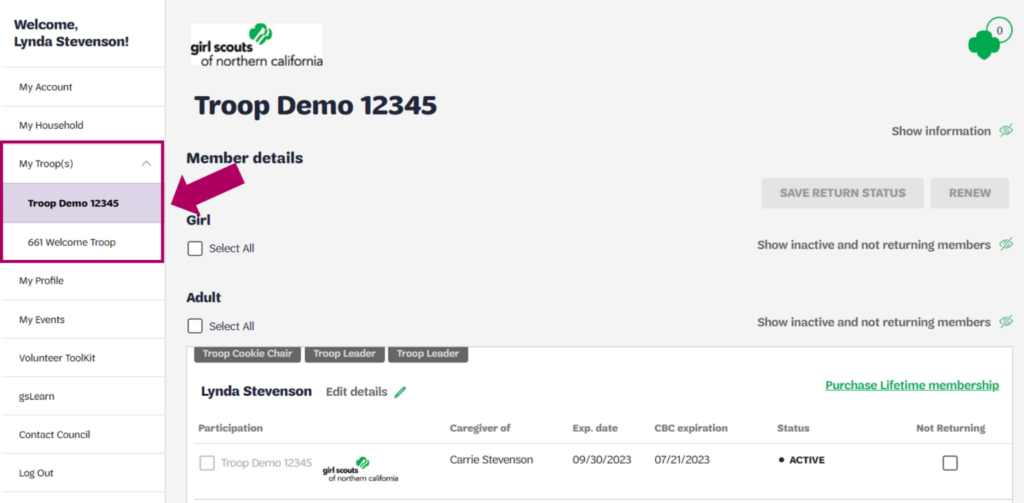
Click on the down arrow to the right of “My Troop(s)” in the navigation panel to view your troops and select the troop you want to see contact or meeting information for.
Show me where to find this
Find the contact information for the troop’s leadership team
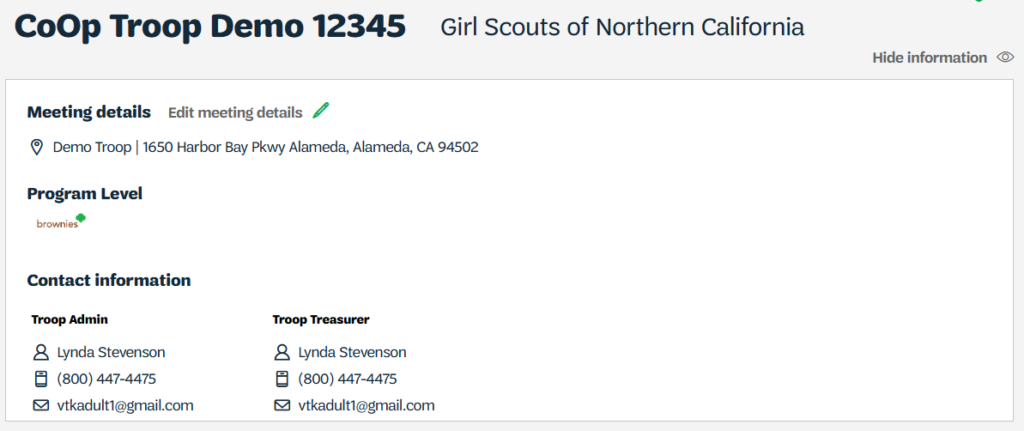
On this screen, you will see the meeting details for the troop and contact information for the Troop Leader/Admin and other key people in leadership roles for the troop, including their phone numbers and email addresses.
Show me what this looks like
Last updated on June 10, 2026