

Whether you’ve received a personal invitation from a troop leader or troop admin or you have been sent a link to a troop in our catalog, follow the instructions below to join.
Start by opening the link you received, and you will be taken to the troop view. If you are clicking on a link in an email sent from your troop leader or troop admin, this is a personal link and should not be shared.
For each part of the process below, click on the arrow to see a screenshot of this step:
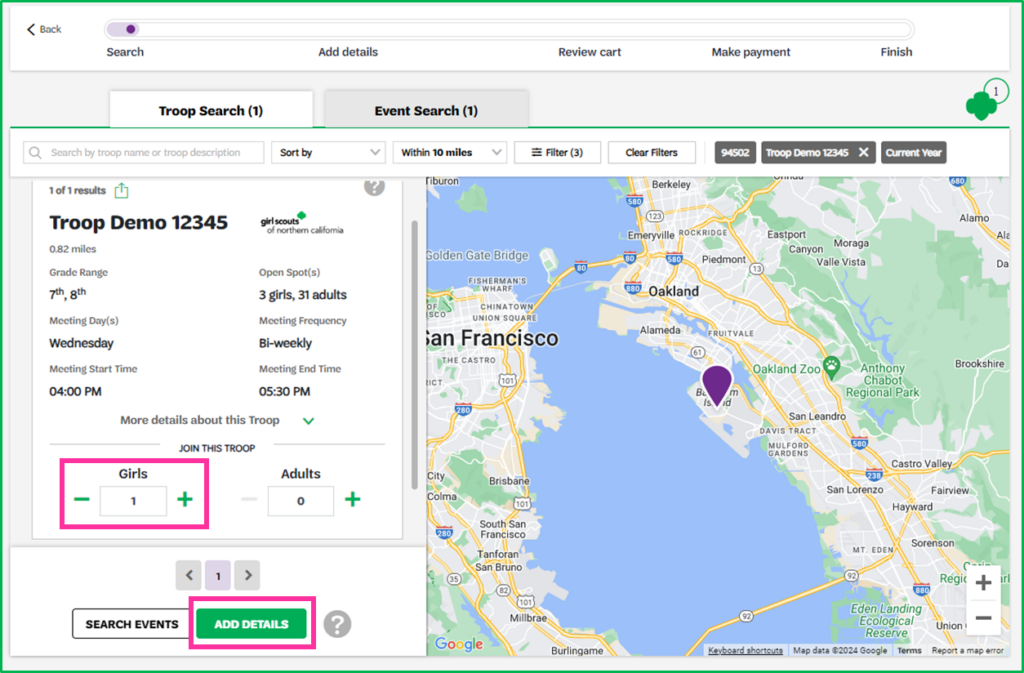
Within the troop listing, click on the plus signs to add the correct number of girls and adults to the troop, then click the Add Details button.
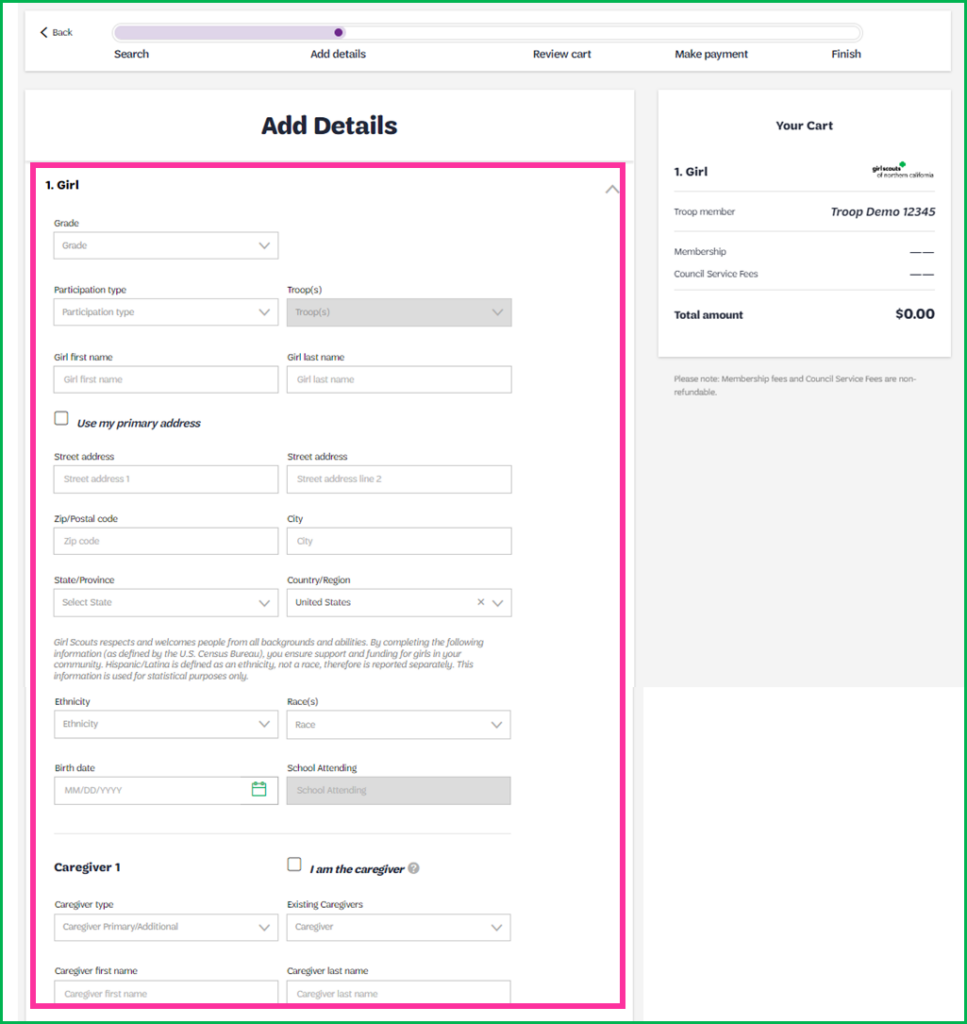
Add the required information for each new member on the next page.
Select your membership and payment type, then click the Save Details button.
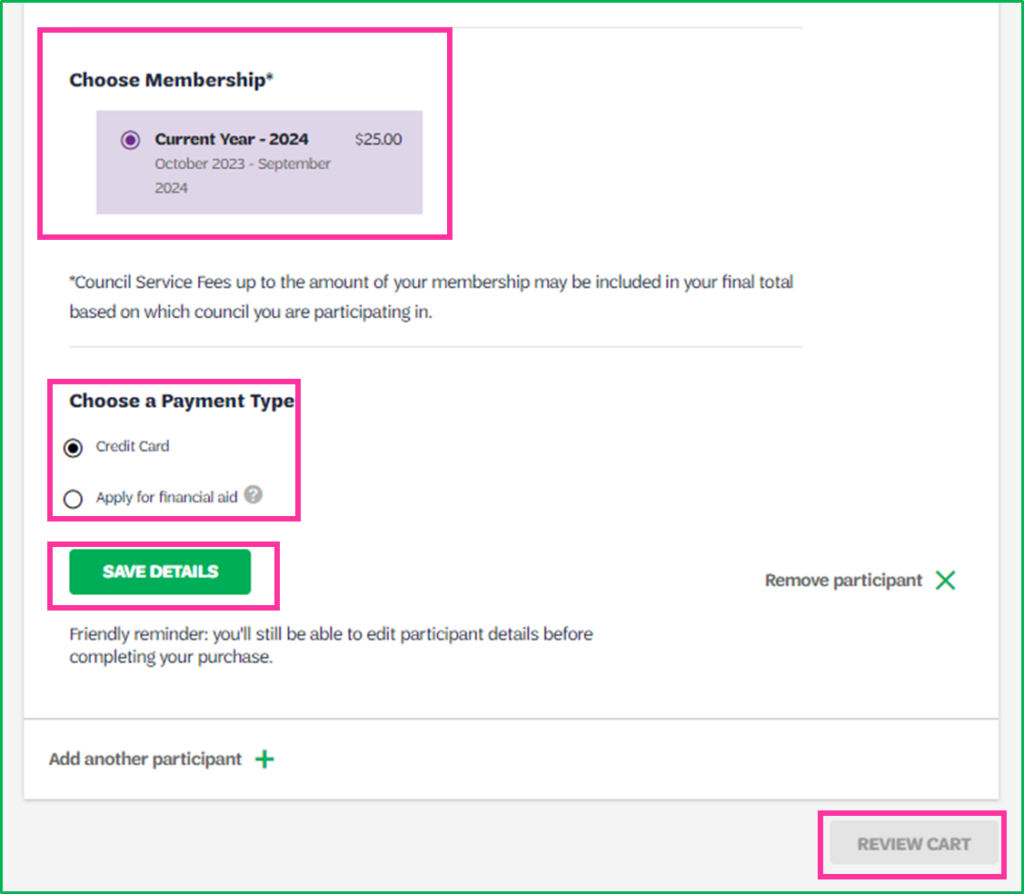
Click Review Cart.
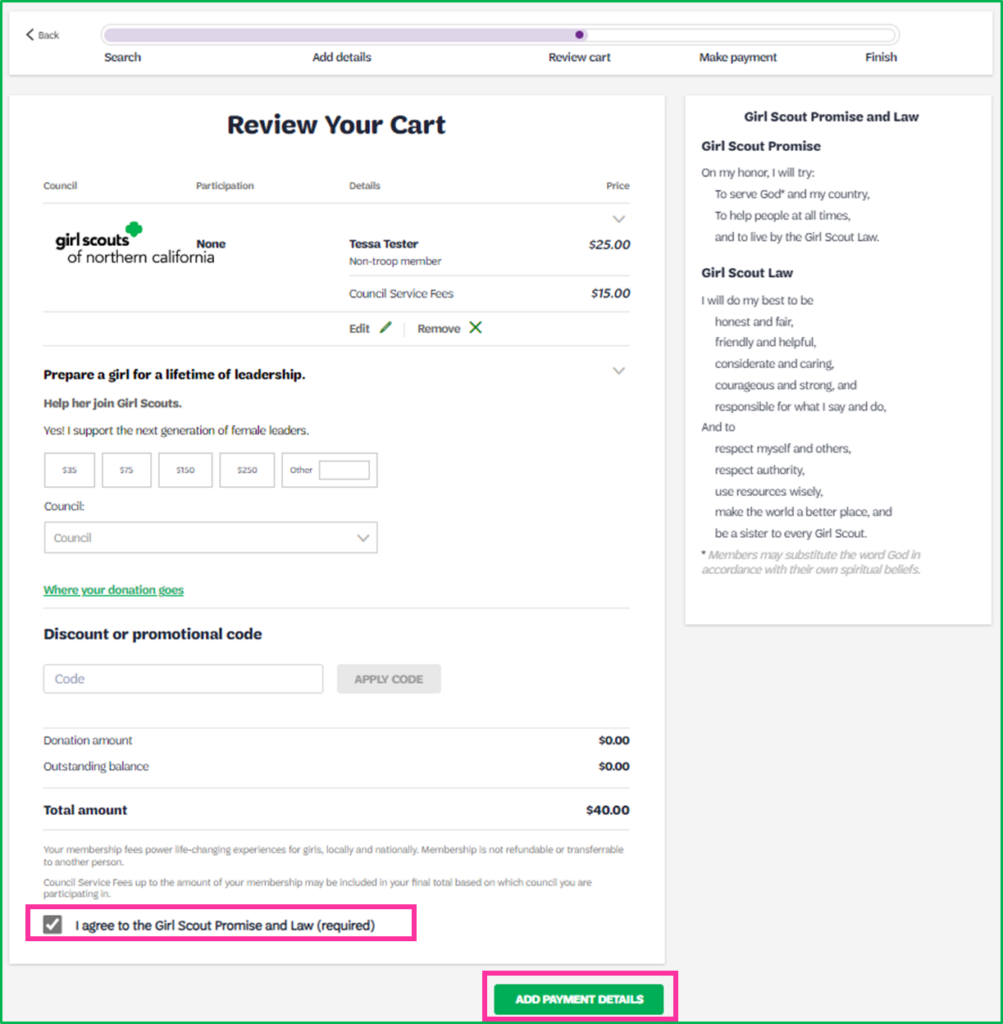
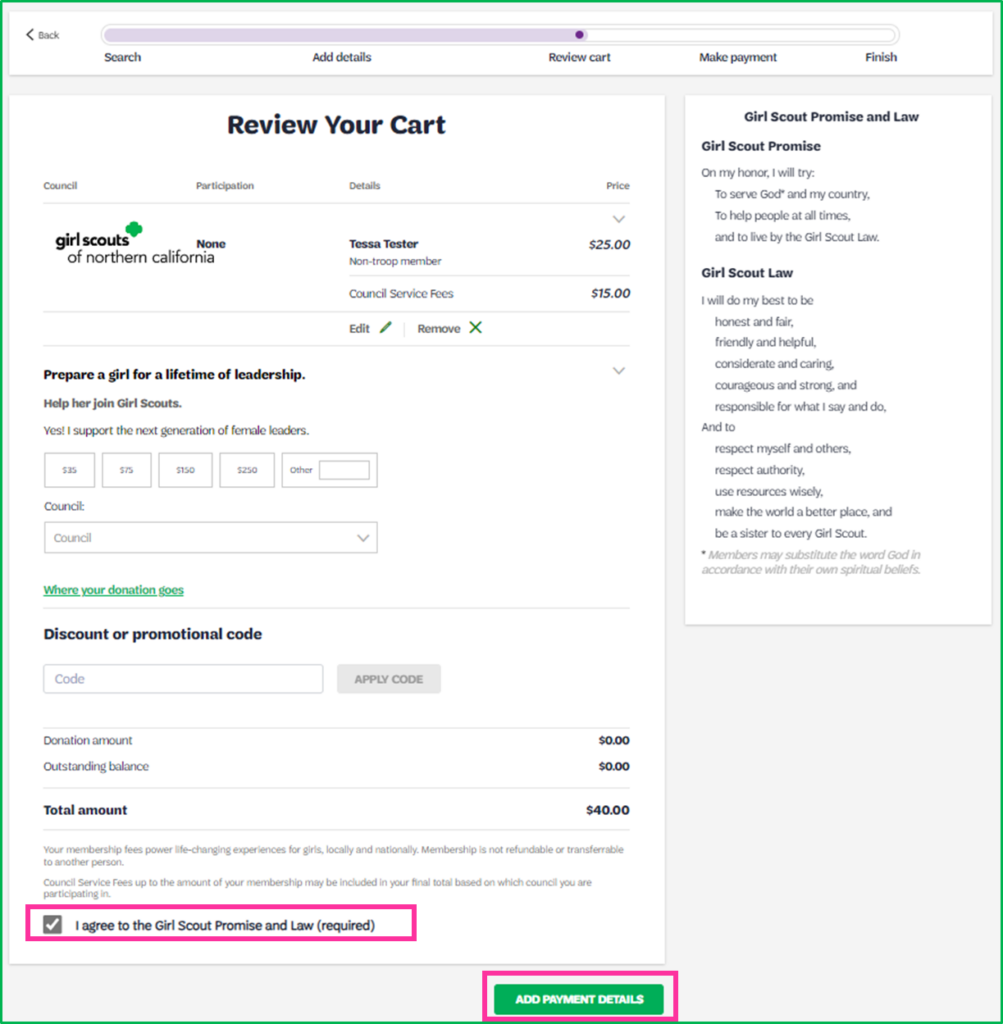
From the Review Cart page, check the box to agree to the Girl Scout Promise and Law, then click the Add Payment Details button.
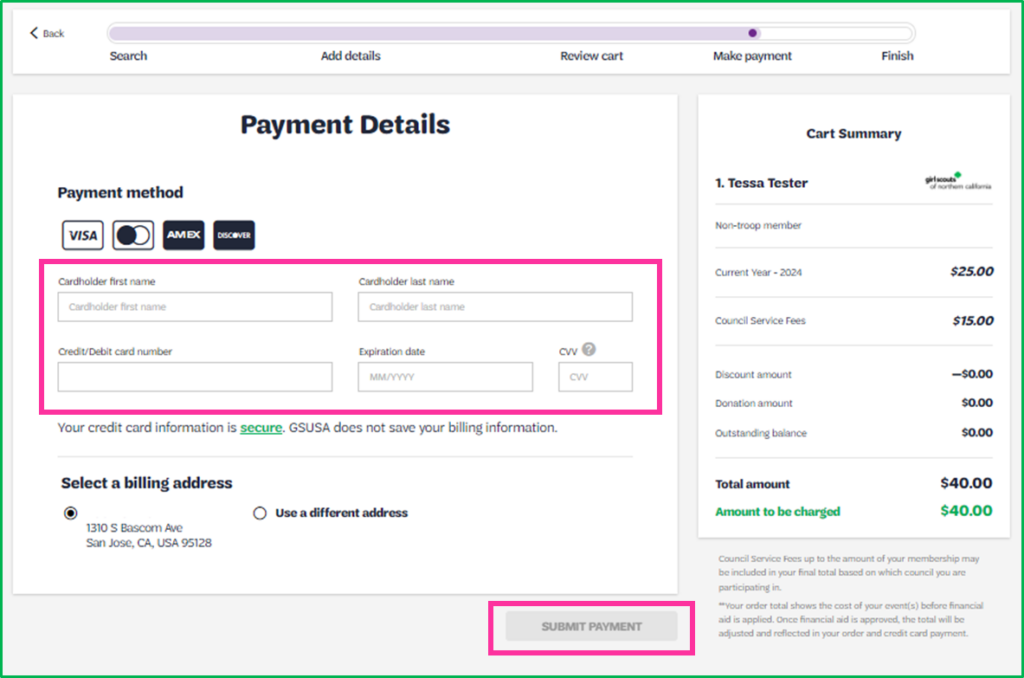
From the Payment Details screen, add your payment information and submit.
Last updated on June 10, 2026