

Easily welcome new members to your troop in one of the following ways:
1. Display the Troop in the Troop Catalog and Share the Link
Troops displayed in the troop catalog will have open troop spaces available to select when potential new members search for troop options in and around their specified zip code.
To display your troop in the troop catalog or update the number of available spaces already displayed, fill out the Troop Update Form
Once your troop is listed in the catalog, you can share the listing by:
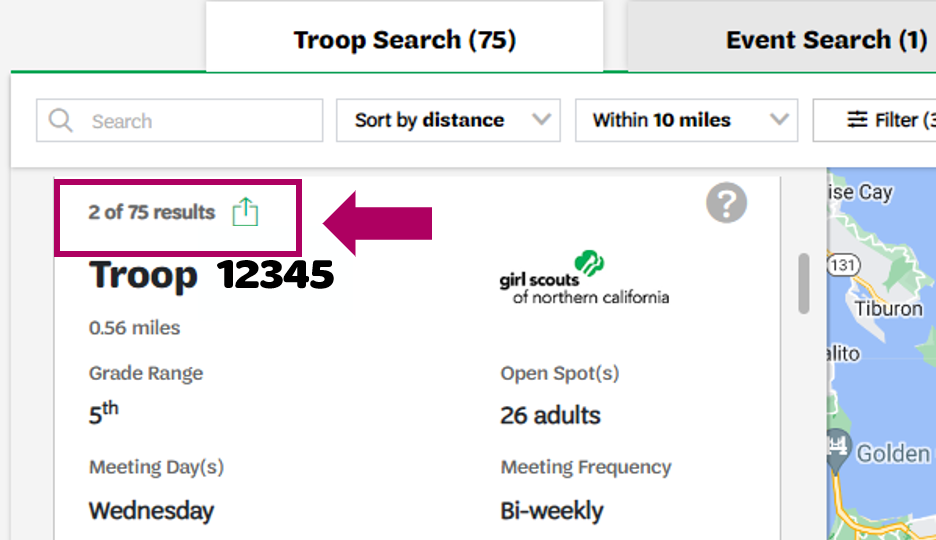
- Go to the online troop catalog and search for your troop.
- Click the share icon on your troop’s listing to copy the link.
- Paste the link into the body of an email or text message.
Click to see how to find the share icon in your troop’s catalog listing.
2. Send a Personal Invitation
Adults in a troop leadership role can send invitations to designated email addresses. The personal invitation works only for the email address it is sent to and does not require the troop to be open in the troop catalog.
Follow these steps to send an invitation:
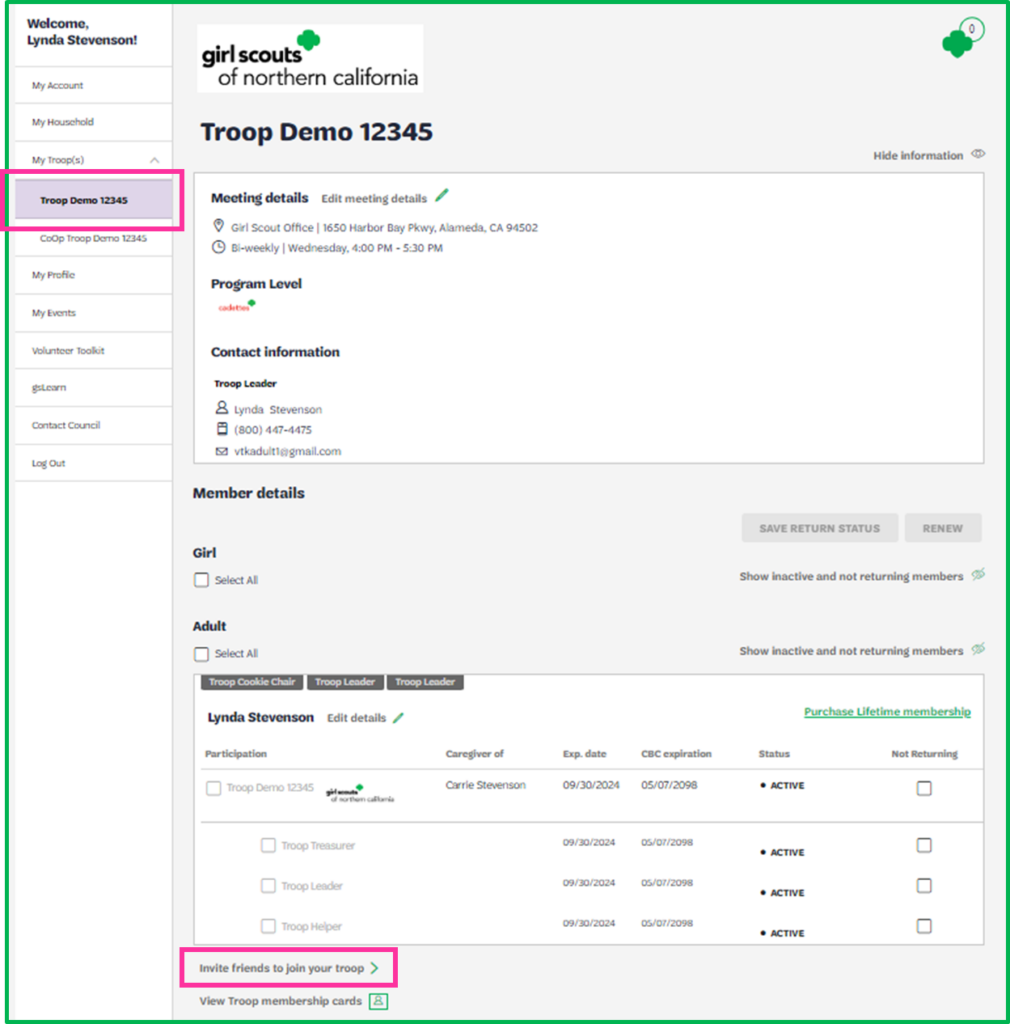
- Log into your MyGS account.
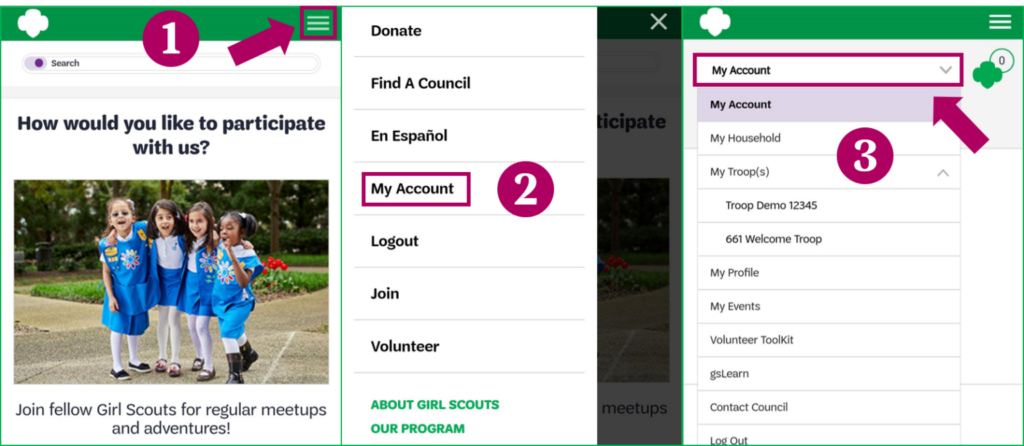
- Select My Troop(s) from the left navigation and click on your troop name.
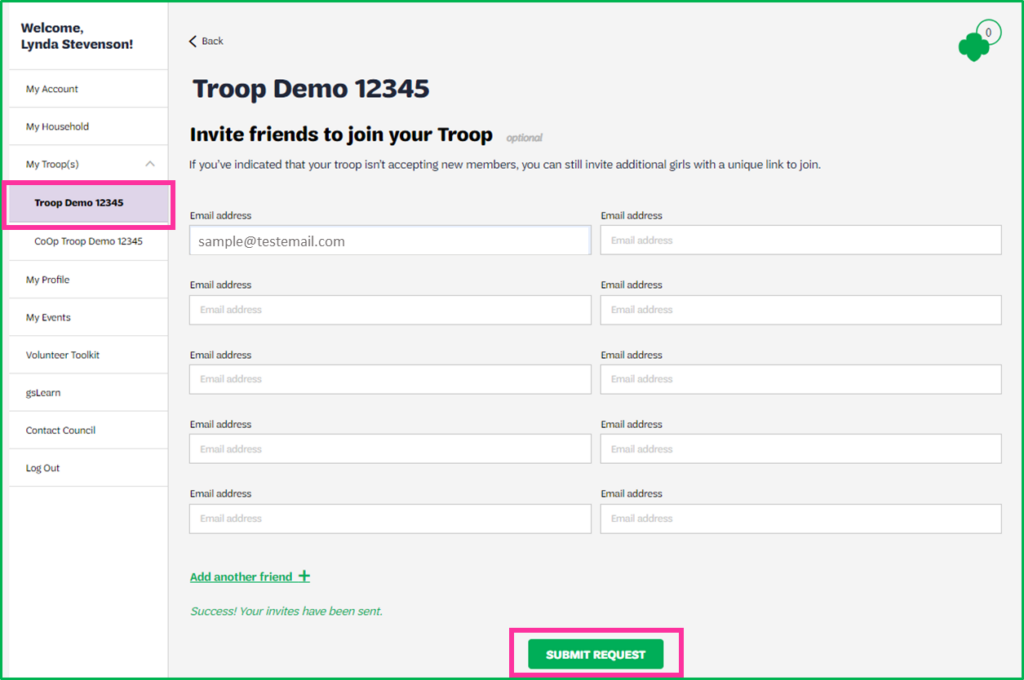
- Scroll down to the bottom of the page and select Invite friends to join your troop >.
- Fill out the form, adding up to 10 parent/guardian email addresses at one time and click Submit Request. If you need more than 10 email fields, click the Add Another Friend link.
- Once submitted, the system will generate an email to each of the entered addresses.
Click here to see how to send the email
Click here to see how to find My Troop(s) on a mobile device
Click here to see a sample email
![Sample emailed invitation to join a troop with the the subject line "Join Girl Scout [Troop Name] and watch her shine her brightest!"](https://helpcenter.gsnorcal.org/wp-content/uploads/2024/10/mceclip8-2-824x1024.png)
See what happens next once someone receives a personal invitation!
Last updated on June 10, 2026